Local models with Ollama
Whether you work in a terminal or use one of our interactive apps such as Jupyter Notebooks or RStudio, you will need to configure an Apptainer container to serve models using Ollama, a tool that allows you to run local models on the HPC.
Ollama is an open-source, lightweight, model-serving framework that allows you to run large language models (LLMs) through a local HTTP API.
In this guide, we run Ollama inside an HPC environment using Apptainer through our Open OnDemand cluster portal.
Configuring the container#
Even if you use interactive tools (e.g., Jupyter Notebook/Lab, RStudio), the Ollama framework must be run through the terminal. Many interactive apps have terminal access built in. For those that do not, you will have to run the commands in a separate terminal.
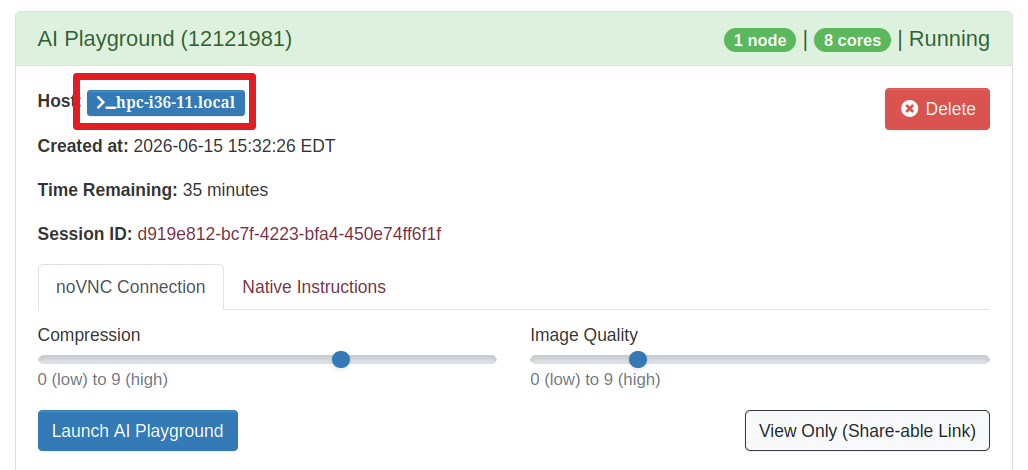
If you are using Open OnDemand, you can invoke a separate terminal session from a running job card by clicking the blue hostname button in the upper-left corner of the job card:
Once you have a terminal session running, run the following commands to start the Apptainer container:
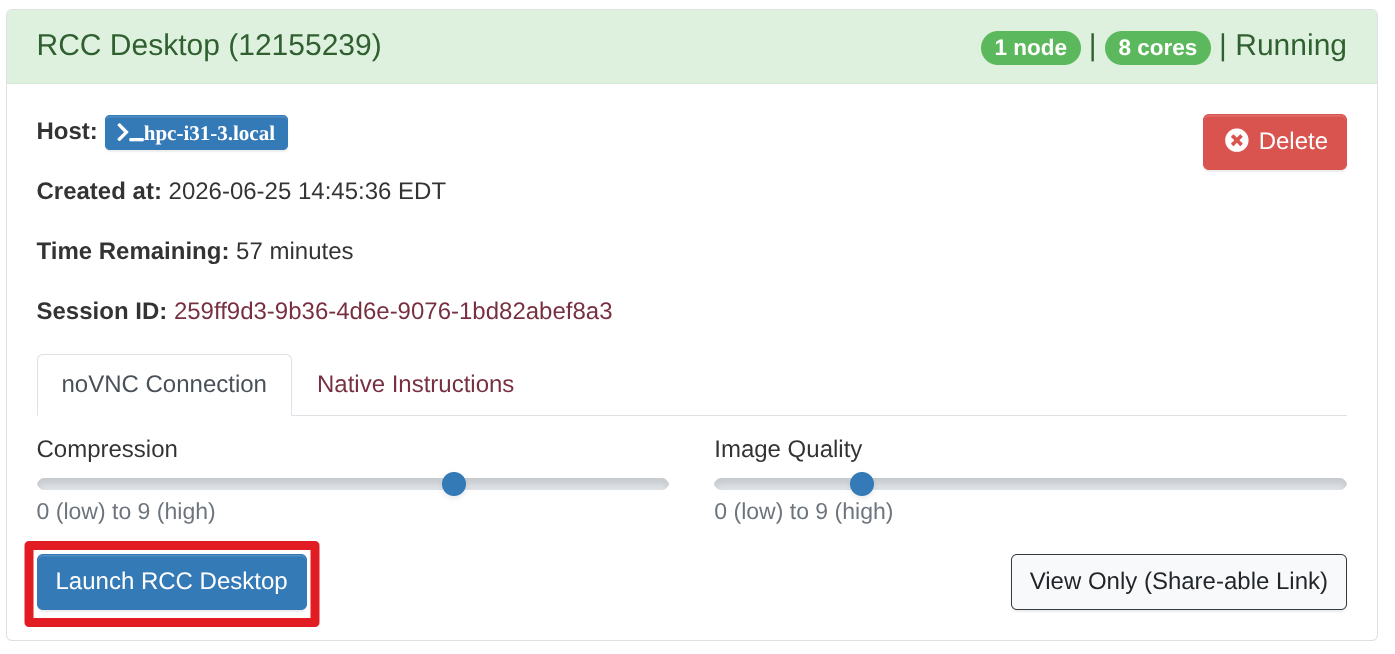
The Ollama server will run in the foreground, which means that you need to open another terminal instance or use a terminal multiplexer like TMUX. If you're using Open OnDemand, then click the blue Launch button in the lower-left corner of the job card:
If you prefer to run the Ollama server in the background, you can direct it to run in the background using the following syntax:
Testing the Ollama service#
To ensure the Ollama HTTP service is running, run the following commands:
Loading a model#
After the Ollama server is running, run the following commands to load a model on the terminal:
You can find a list of available models on the Ollama website. For local inference, we recommend that you choose a model with fewer than two billion parameters. Smaller models are more appropriate for local inference because they require less memory.
Note
LLM models consume a lot of storage in your home directory. Be sure to monitor your disk usage.
You can test to see if the model is loaded in the Ollama server by running the following command:
Environment variables#
For advanced users of Ollama, there are a few environment variables you can use to configure the service:
OLLAMA_NUM_PARALLEL
- Controls how many requests a single model instance can process in parallel
1(default): one request at a time per model- Higher values (e.g.,
2–8): increases throughput but uses more GPU/CPU memory
OLLAMA_MAX_LOADED_MODELS
- Controls how many models can be loaded at the same time
1(default): one model at a time per Ollama instance- Increase this value, up to 4, to allow multiple models to run concurrently in the container
Prefix the Apptainer command using the environment variables that you need:
Or, export them to your shell environment before running the Apptainer command:
Refer to the official Ollama documentation for a list of all available environment variables.